
Read and find your activities
Connect your reader and insert your card. Browse your driving, work and rest history.
For professional drivers
Check your driving times, rest periods and estimated pay on a computer, Android phone or iPhone.
Free on desktopWindows · macOS · Linux
Compatible card reader required. All versions
Your day at a glance
Example day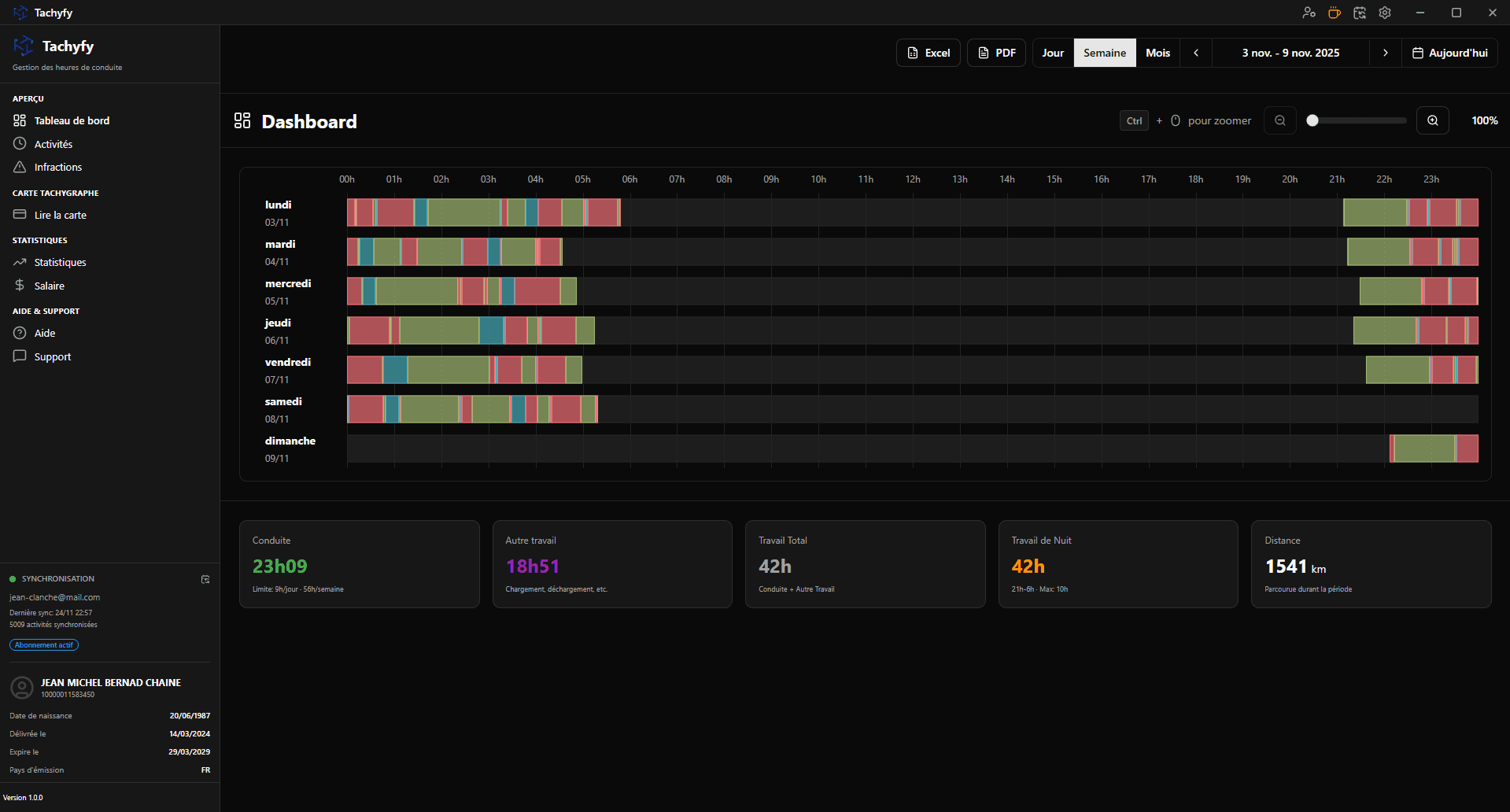
Tachyfy
The information that matters, without calculating everything by hand.
Connect your reader and insert your card. Browse your driving, work and rest history.
See your time and detected infringements. Check estimated pay based on your settings.
Local reading by default, Excel and PDF exports. Enable synchronisation only if you want to.
Plug in your reader, insert the card, that's it! Ultra-fast reading.
Automatic calculation of your salary with night, Sunday bonuses and meal allowances.
Fluid timeline with intelligent zoom and intuitive period navigation.
Automatic detection compliant with EC 561/2006: driving, rest, night work.
Manage multiple driver cards with dedicated profiles and settings.
Export your data to Excel format for your reports and archives.
Driving, work, rest and availability times calculated in real time.
Intelligent data merging to keep all your history without duplicates.
Modern and customizable interface. Adapt colors to your preferences.
Automatic detection and calculation of regulatory night hours (9pm-6am).
Your vehicles are automatically detected and linked to your activities.
Always stay up to date with the integrated automatic update system.
Generate professional PDF reports ready to be printed or sent.
Detailed graphical analysis of your activity over the long term.
Desktop software, mobile app and equipment: separate offers, without subscriptions.
Every desktop feature on Windows, macOS and Linux.
Free
No subscription · No advertising
Read your card with a compatible reader or view activities synced from your computer.
€5.99
One-time purchase · No subscription
Android 9+ · iPhone
Choose a card reader and, if needed, an adapter compatible with your device. The bundles include the Tachyfy app.
Prices exclude delivery. Check device compatibility in the shop.
Preview
A compatible reader, your driver card and a few simple steps.
Choose the free desktop software or the app for Android and iPhone.
Use USB on your computer or a compatible adapter on your phone.
Find your activities, explore your days and export the data you need.
Free on desktop
The desktop software is free on all three systems. Simply choose yours.
Windows 10 / 11 · 64 bits
96.82 MB
Apple Silicon / Intel
123.10 MB
AppImage / Debian · x64 / ARM64
137.23 MB
This Windows program is not digitally signed yet. View release notes
Equipment, apps and data: what you need to choose with confidence.
Yes, the desktop software is completely free, with no ads or subscription.
Your data stays on your computer by default. It is only synchronized if you explicitly enable synchronization. You can use the software locally without an internet connection.
Yes, Tachyfy offers a mobile app to view your data. See the Mobile App page for available platforms and purchase details.
All PC/SC compatible card readers (most USB readers). If your reader works with other software, it will work with Tachyfy.
The software reads and displays official data from your card according to European standards. It is designed to help you track your hours, but does not replace legal obligations.
You can use support directly from the software: instant chat and fast response. You can send your logs directly from the integrated support. If needed, you can also join our Discord server and post in the #problems channel.
Driver reviews
They use Tachyfy every day to manage their hours.
Loading reviews…
The Tachyfy community
Have a question, a tip or an experience to share? Connect with other drivers on Facebook and Discord.
A group to connect with fellow drivers, ask questions and share tips about everyday life on the road.
Join the Facebook group (opens in a new tab)Chat with the Tachyfy community, share your feedback and get help using the software.
Join the Discord (opens in a new tab)